AI Photos on Poshmark: How to Use Them Without Getting Returns (Tips & Tools)
June 28, 2026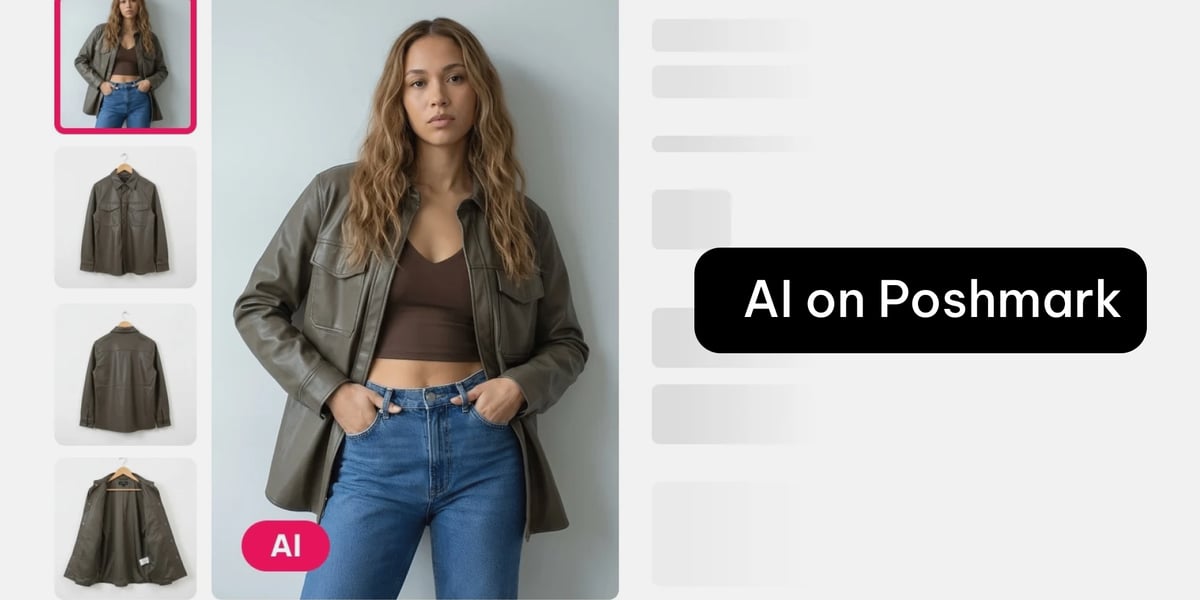
AI-generated model photos are everywhere on Poshmark now, and sellers are split. Some report sales jumping after adding them. Others have had buyers open "item not as described" (INAD) cases and return things.
Both camps are right. AI photos work when used carefully and backfire when used to mislead. Here's how to land on the right side of that line.
Why sellers use them
The appeal is simple: clothes sell better on a body than on a hanger. A wrinkled top or a shapeless dress on a mannequin can look like nothing, but on a model it suddenly makes sense. For items with no available stock photo, especially vintage or plus-size pieces, an AI model can show fit and styling that's otherwise impossible to convey.
One seller in a Poshmark group reported a 50% jump in weekend sales after switching to AI cover photos. That's the upside.
Why they backfire
The complaints are just as consistent, and they almost always come down to two things: accuracy and disclosure.
AI fills in details it can't see. Testers have watched it change a logo's color, misspell text on a shirt, flatten a hem, add flowers that weren't there, or "correct" a pattern into something else. On a solid-color basic, AI does fine. On prints, logos, and fine details, it drifts, and that drift is exactly what triggers a return.
The second issue is hidden AI. Buyers feel deceived when a cover photo looks real but turns out to be generated, especially when later photos of the actual item don't match. That confusion alone makes people close the app, even if the item is fine.
The rules that keep you safe
Sellers who use AI successfully follow the same playbook:
- Always disclose it. State clearly that the first photo is AI-generated and for styling reference only. This protects you in a dispute and is increasingly required: regulators and platforms are tightening AI-image disclosure rules through 2026, and the FTC treats undisclosed synthetic imagery as potentially deceptive.
- Never make it your only photo. Use the AI image as a cover or styling shot, then back it with plenty of clear, well-lit photos of the actual item, including tags, measurements, and any flaws.
- Only use it when it's accurate. If the generated image doesn't match your piece after a try or two, drop it. A close-enough photo isn't worth an INAD case.
- Use a mannequin for shape and fit. Photographing your item on a mannequin or dress form first gives the AI a clear sense of how the piece actually drapes, so the generated model shot reflects the real shape and fit instead of guessing.
- Don't use stolen stock photos as a "fix." Pulling brand or other sellers' photos is copyright infringement and can get listings removed or your account banned. Original or AI-from-your-own-photo is the safer route.
A tool worth trying
Most Poshmarkers reach for whatever has a built-in generator, but those tend to produce random faces on odd backgrounds and offer little control. A purpose-built fashion tool gives you more accuracy and consistency.
Relatable is built for clothing sellers. You snap a photo of your item on a mannequin or hanger, pick a model and a style, and get a finished photo in under a minute. A few things that help on Poshmark specifically:
- Your own reusable model for a consistent look across your closet, instead of a different random face on every listing.
- Front and back views with the same model, so the styling shot tells a fuller story.
- Works for accessories too (hats, fascinators, bags), and you control how the model is styled.
- Pay-as-you-go, no subscription, with credits that never expire, which suits the stop-start pace of reselling.
Pair it with the rules above: disclose it, use it as a styling reference, and always show the real item too.
It's not just Poshmark
If you sell across more than one platform, you've probably already seen this. Sellers report the same AI model photos showing up on eBay, ThredUp, and Etsy, with the same split between sales lifts and disappointed buyers. The rules don't change from one site to the next: disclose the AI, keep it accurate, and always show the real item. Etsy now even has a dedicated AI-disclosure step in its listing form. Whatever you generate works everywhere, so the habits you build on Poshmark carry straight over.
Bottom line
AI photos aren't the problem. Inaccurate, undisclosed ones are. Show your buyer exactly what they're getting, label the AI clearly, and use it only where it's honest, and you get the sales lift without the returns.