Takealot Photo Requirements for Fashion
June 30, 2026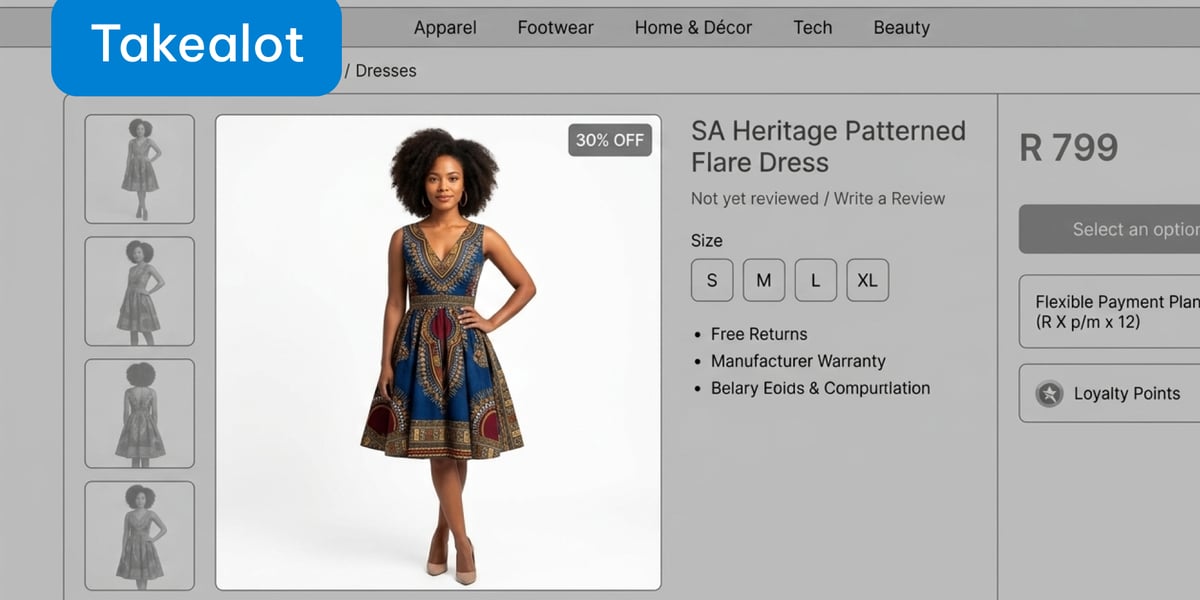
Selling clothing on Takealot? Your photos have to pass a strict checklist before the listing goes live. Miss a rule and the image gets rejected, which delays your launch and costs you sales.
The good news: the rules are clear, and once you know them, getting compliant photos is fast. Here's the full spec, then the quickest way to meet it.
Takealot's fashion image requirements
These are the technical standards every product photo must meet:
- White background. The main image must have a pure white background (RGB 255, 255, 255). It cannot be transparent. This is the rule that trips up the most sellers.
- Format. JPEG (.jpg/.jpeg) or PNG only.
- Dimensions. Maximum 2048 x 2048 pixels, minimum 600 pixels on any side.
- File size. 2MB maximum.
- Resolution. At least 72 DPI so the image stays sharp when buyers zoom in.
- Colour mode. sRGB, so colours look consistent across phones, tablets, and desktops.
- Composition. The product should fill 85% to 95% of the frame.
- Aspect ratio. As close to square as possible. Takealot also accepts 4:3, 3:2, 16:9, 5:3, and 5:4. Extreme ratios like 8:1 are rejected.
- No watermarks or text overlays. Logos, badges, and promo text on the image will get it rejected.
For clothing specifically, Takealot also wants multiple angles, a shot of each colour option, and a size chart image alongside the product shots.
Why this is hard for fashion sellers
The white-background rule is simple to state and annoying to achieve. A clean, evenly lit, pure-white shot usually means a proper setup: backdrop, lighting, and editing. For a single item that's manageable. For a full catalogue, it's hours of shooting and retouching.
It gets harder when you want to show clothes on a model instead of flat on a hanger, which sells far better. Now you need a model, a studio, and that same flawless white background, all while keeping colours accurate enough to avoid returns.
And here's a trap to avoid: many generic AI photo tools stamp a watermark on their output. On Takealot, that watermark gets your image rejected outright. So the tool you use matters.
The fast way: generate compliant photos with AI
Relatable is built for clothing sellers and lines up neatly with Takealot's rules. You snap a photo of your item on a mannequin or hanger, pick a model and a background, and get a finished photo in under a minute.
Two things make it a strong fit for Takealot:
- A "White studio" background option. Generate model photos on a clean white background that matches Takealot's main-image requirement, with no messy editing.
- South African models. Show your clothes on models your local Takealot buyers relate to, which builds trust and helps your listings convert.
On top of that, it gives you front and back views with the same model, accurate colours so buyers get what they expect, and your own reusable model for a consistent look across your whole catalogue. There are no watermarks on the photos, so they won't trip Takealot's rejection rules. It also works for accessories like hats, fascinators, and bags.
Pricing is pay-as-you-go with no subscription, and you can pay with M-Pesa and other local methods, which suits South African sellers.
A quick compliance checklist
Before you upload, run through this:
- White background on the main image, no transparency
- JPEG or PNG, under 2MB
- Between 600 and 2048 pixels per side
- Square-ish aspect ratio
- Product fills 85% to 95% of the frame
- No watermark, logo, or text on the image
- Multiple angles, plus a size chart for clothing
Bottom line
Takealot's photo rules exist to keep listings clean and consistent, and they reject anything that doesn't comply. With the white-studio background and local models, you can produce compliant, professional fashion photos for your whole catalogue in minutes, not days.